Exam Study Planner Spreadsheet, Revision Tracker, Excel and Google Sheets | Study Schedule, Spaced Repetition, Exam Countdown
$3.99 USD
Buy on EtsyInstant digital download for Microsoft Excel and Google Sheets. Checkout and delivery are handled securely by Etsy.
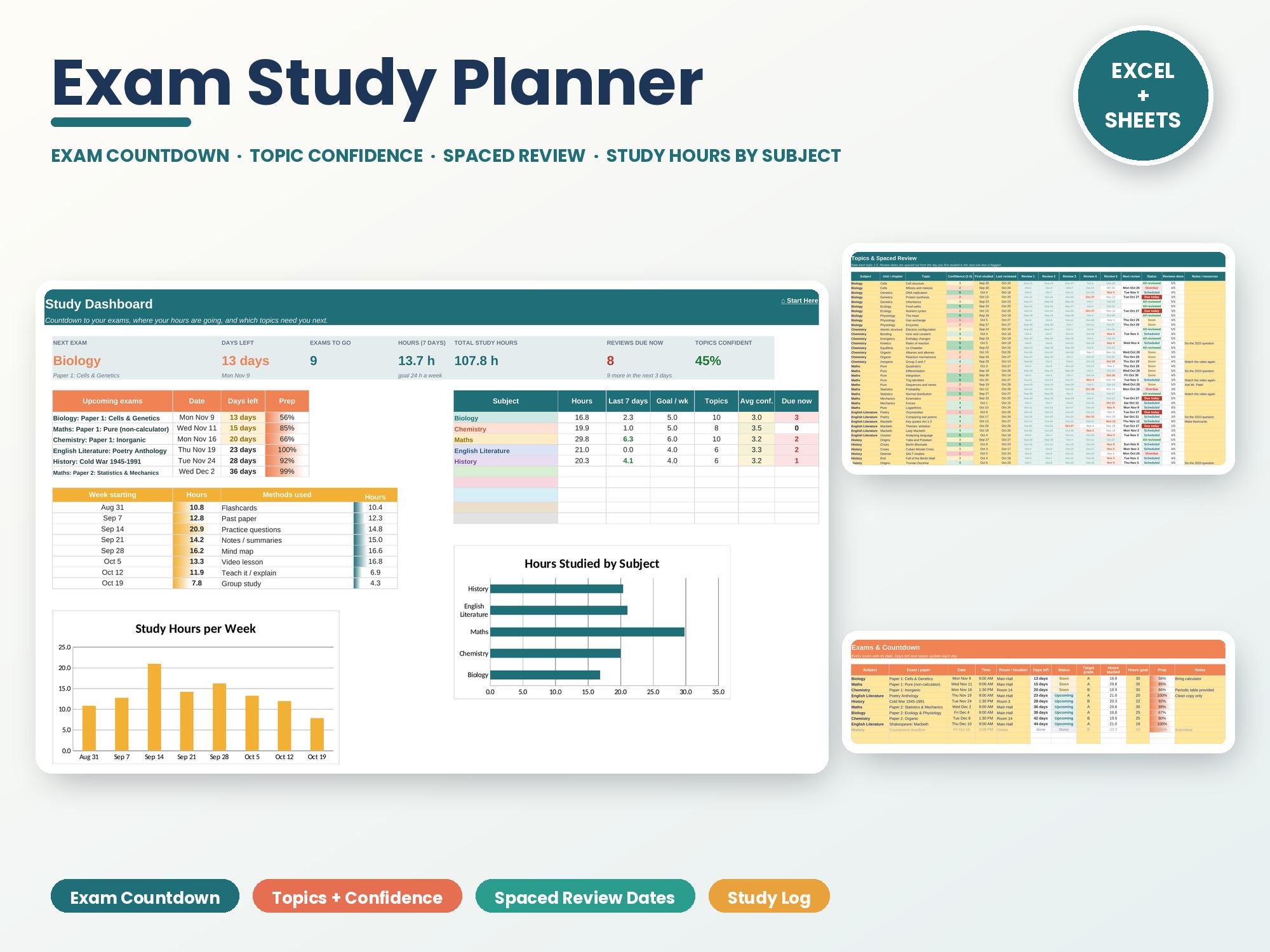
Exam Study Planner Spreadsheet for Microsoft Excel and Google Sheets, instant digital download. Count down to every exam, rate how well you know each topic and let spaced-review dates tell you what to study next. Perfect for high school, GCSE and A level exams.
✨ NOW INCLUDES 4 FILES: a SAMPLE version filled with example data so you can see how it works, plus a BLANK version ready for your own info, each for Excel and Google Sheets.
★ WHAT'S INCLUDED ★
• 8 tabs with a clickable Start Here cover page
• Exams: up to 20 exams with date, time and room, days left, a status (Today, This week, Soon, Upcoming, Done), target grade and prep hours vs. your goal
• Topics: 150 rows. Rate each topic 1-5 for confidence and get 5 spaced-review dates (1, 3, 7, 14 and 30 days after you first study it, all editable). The next review is highlighted and flagged Overdue, Due today, Soon or Scheduled, and low-confidence topics come back after 2 days
• Study Log: 800 sessions with subject, topic, start and end time (hours worked out, breaks taken off), method, focus rating and questions done
• Revision Timetable: a 7-day by 15-hour weekly plan. Pick a subject for each hour and it color-codes itself, with planned hours per subject
• Past Papers: 60 rows for practice scores with % and a grade from boundaries you set
• Dashboard: next exam and days left, exams to go, hours in the last 7 days, total hours, reviews due now, % of topics you're confident in, upcoming exams with prep bars, a subject table (hours, last 7 days, weekly goal, topics, average confidence, reviews due), hours by method, and charts of hours by subject and hours per week
• Setup: up to 10 subjects with weekly hours goals, review gaps, grade boundaries and study methods
• Sample data for 5 subjects so you can see how it works
★ PERFECT FOR ★
✓ High school, GCSE and A level exams
✓ College midterms and finals
✓ Professional exams and certifications
✓ Parents helping a teen plan revision
★ COMPATIBILITY ★
• Microsoft Excel (desktop, Mac, web)
• Google Sheets (upload to Google Drive and open with Google Sheets)
• 4 files included: Excel (sample) + Excel (blank) + Google Sheets edition (sample) + Google Sheets edition (blank)
• Not designed for Apple Numbers
★ HOW IT WORKS ★
1. Download and open the file in Excel, or upload it to Google Drive and open with Google Sheets.
2. On Setup, add your subjects and weekly hours goals, then list your exams on Exams.
3. Add your topics, rate your confidence and log each study session.
4. Follow the review dates and check the Dashboard to see where your hours are going.
★ PLEASE NOTE ★
• This is a digital download. Nothing will be shipped.
• Because it's a digital file, returns aren't accepted, but if you have any trouble with the file, message me and I'll fix it or help you right away.
Free Monthly Budget Starter Kit
5 printable pages: a monthly budget sheet, a 12-month bill checklist and 3 savings-goal trackers. Free when you join the email list.
Get the free kit