Bill Payment Calendar Spreadsheet, Monthly Bills Tracker, Due Date Checklist, Bill Organizer, Bill Payment Checklist, Excel Google Sheets
$3.49 USD
Buy on EtsyInstant digital download for Microsoft Excel and Google Sheets. Checkout and delivery are handled securely by Etsy.
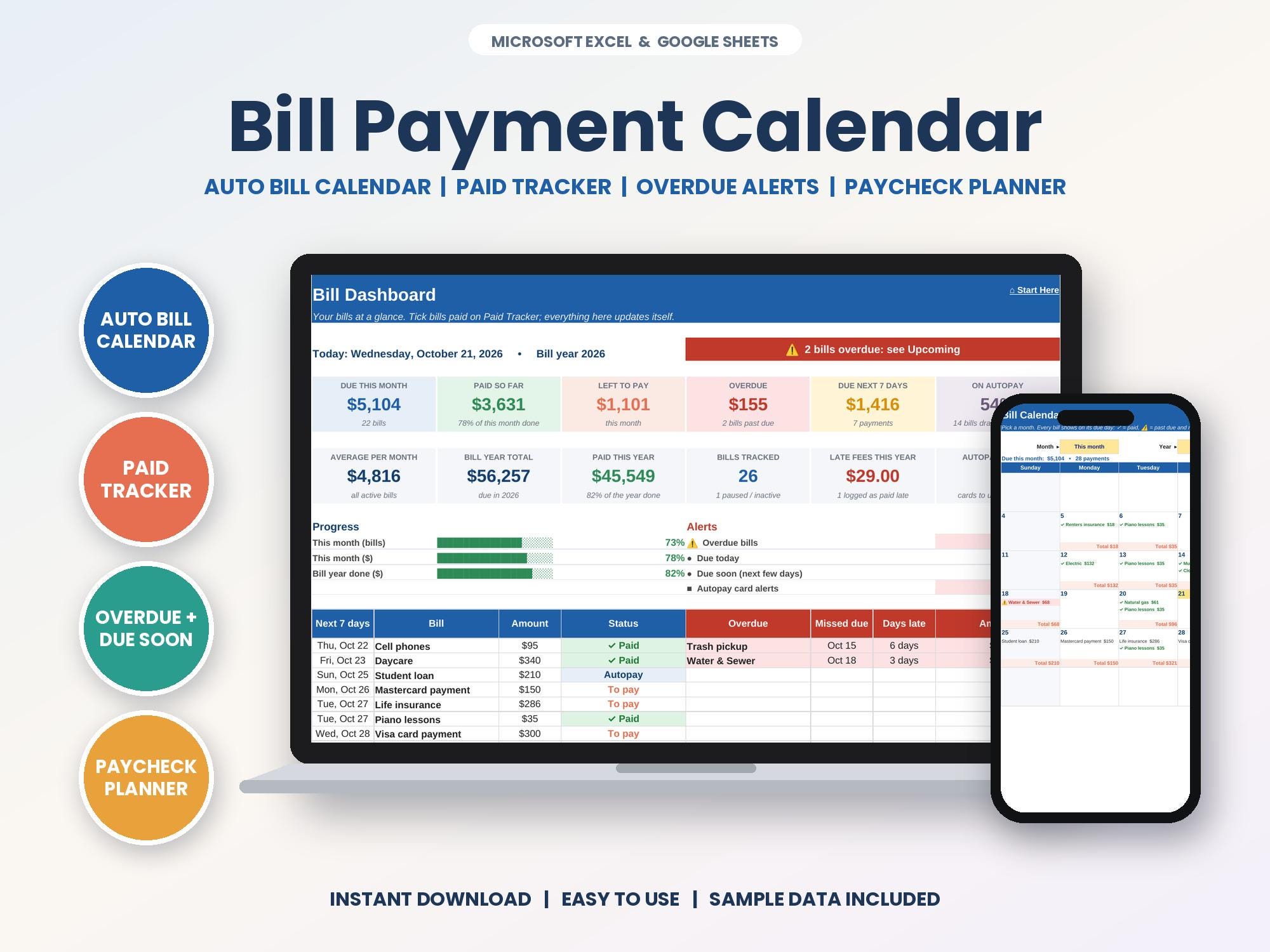
Bill Payment Calendar Spreadsheet for Microsoft Excel and Google Sheets, instant digital download. See every bill on its due date, tick it off when it's paid and never get caught by a late fee again. Perfect for anyone juggling a lot of due dates.
✨ NOW INCLUDES 4 FILES: a SAMPLE version (filled in so you can see exactly how it works) and a BLANK version (cleared and ready for your own info), each in an Excel edition and a Google Sheets edition.
★ WHAT'S INCLUDED ★
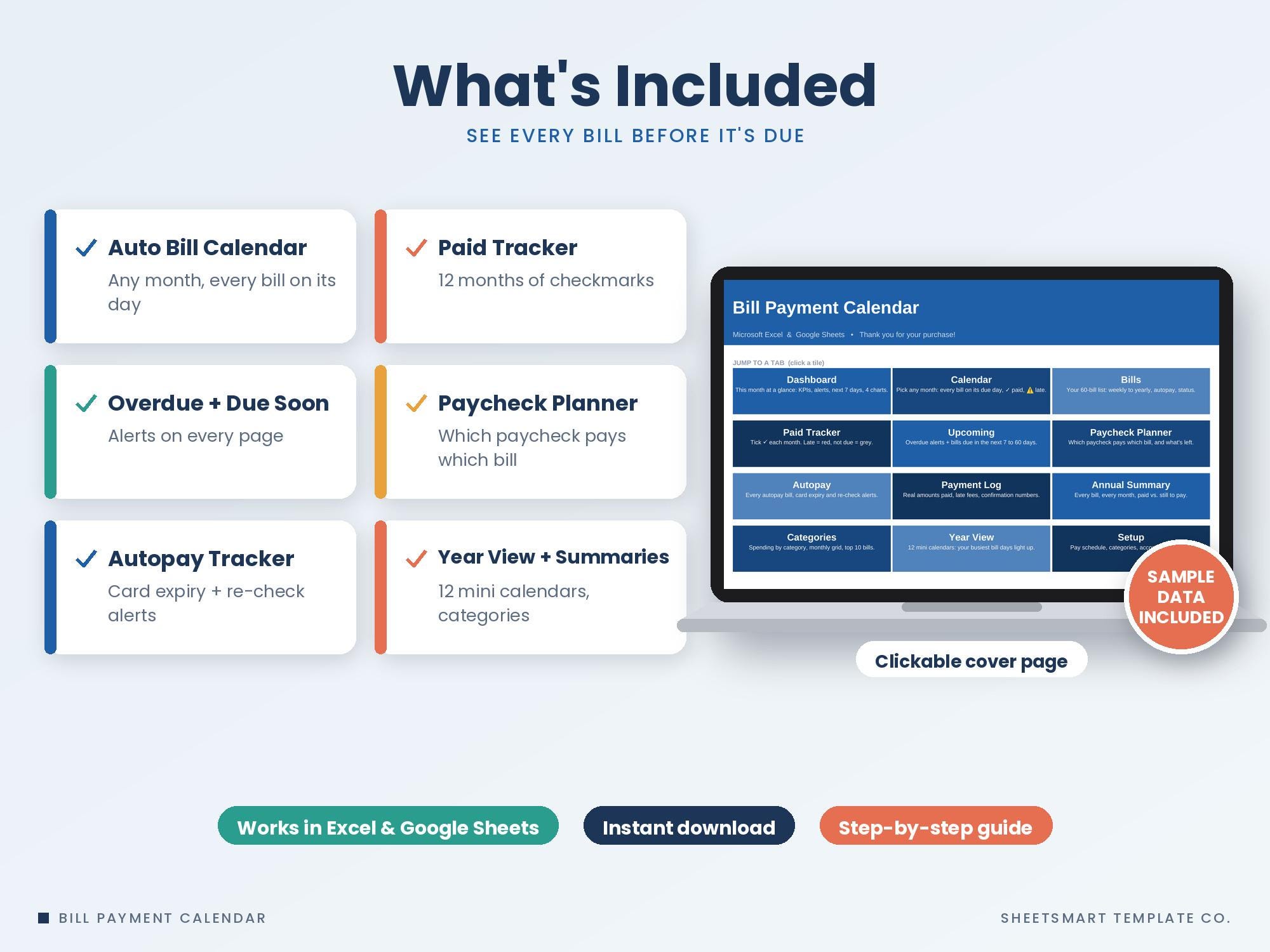
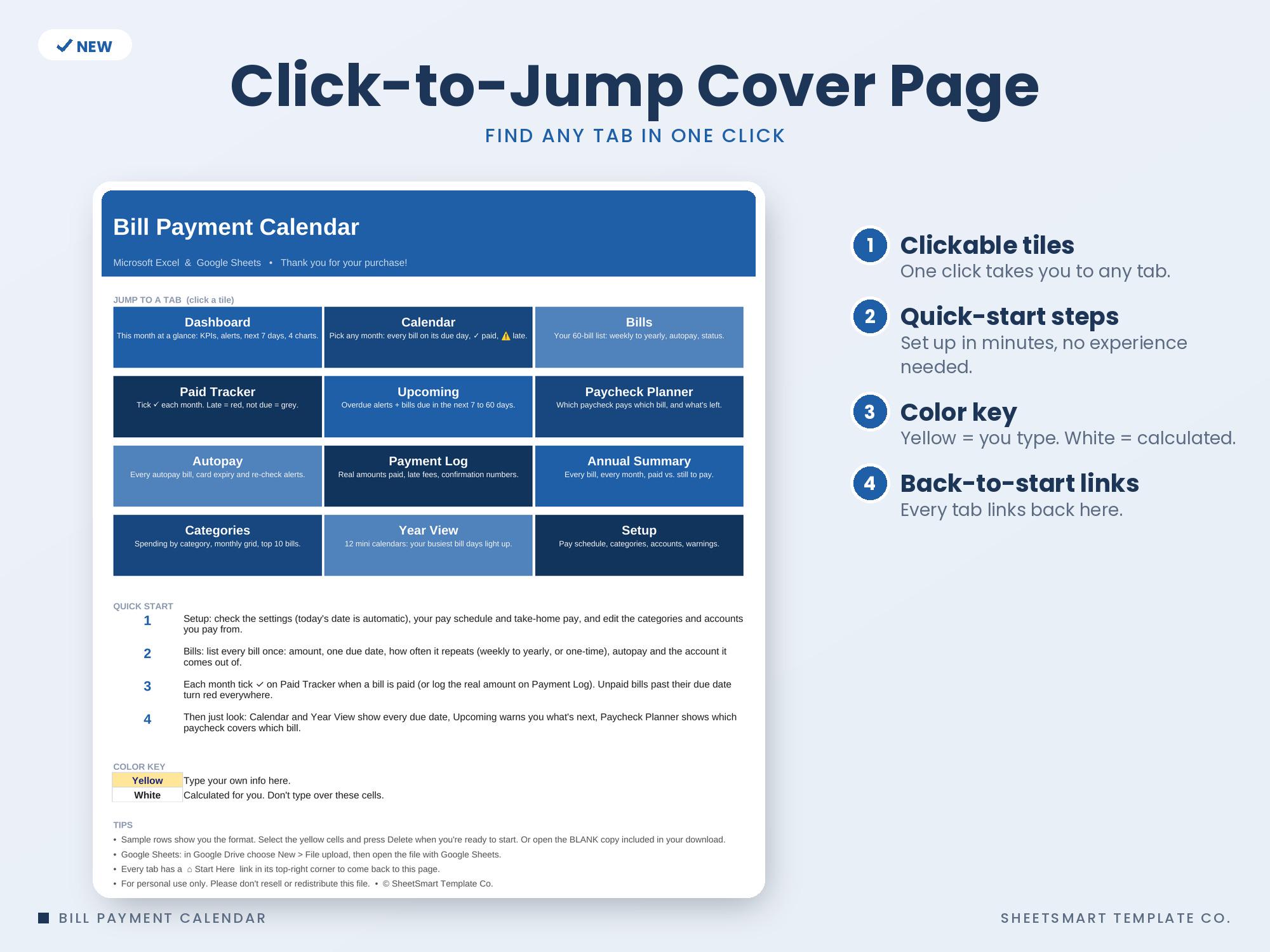
• Start Here cover page with clickable tiles to every tab, quick-start steps and a color key (yellow = you type)
• Dashboard: 12 KPI tiles (due this month, paid, left to pay, overdue, next 7 days, autopay share, yearly total, late fees and more), progress bars, an alerts panel, next-7-days and overdue lists, plus 4 charts
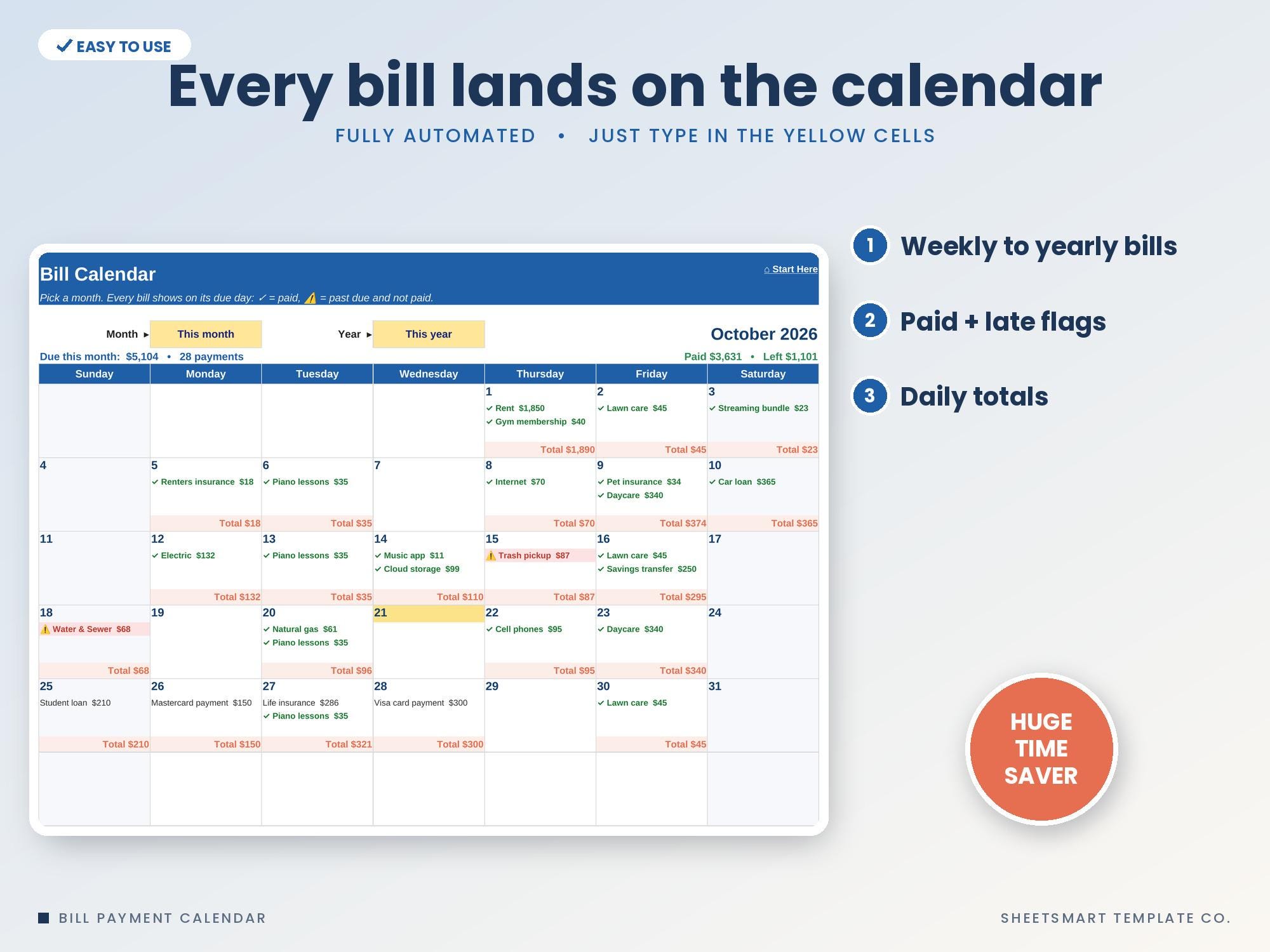
• Bill Calendar: pick any month and every bill appears on its due day with daily totals, ✓ for paid and ⚠ for past due, plus a full list of every payment that month
• Bills list for up to 60 bills: weekly, every 2 weeks, monthly, every 2/4/6 months, quarterly, yearly or one-time, with optional end dates, autopay, pay-from account and an automatic status (Paid, Due soon, OVERDUE, Autopay)
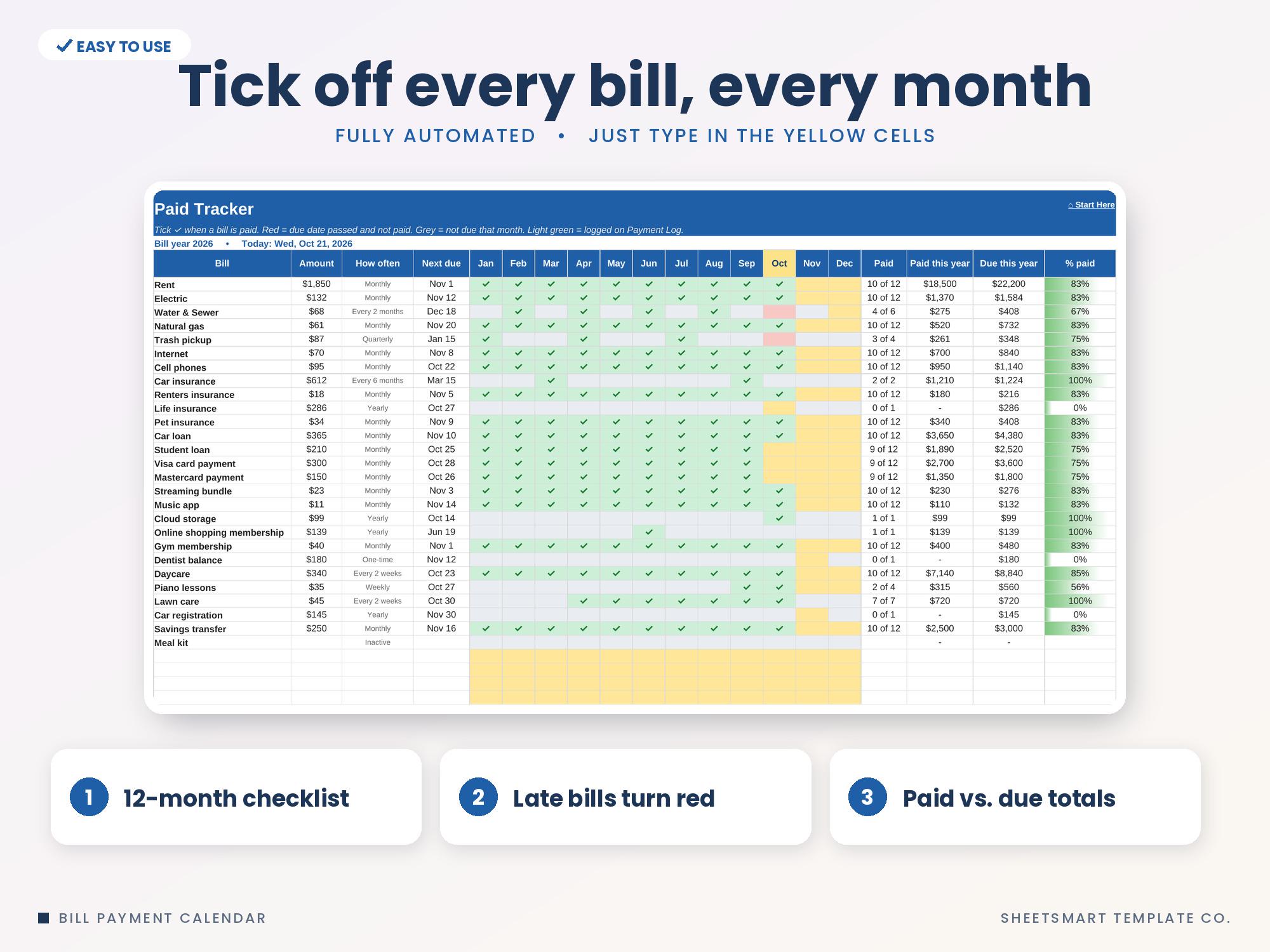
• Paid Tracker: 12-month checklist, late bills turn red, months a bill isn't due turn grey, paid vs. due totals and % paid bars
• Upcoming Bills: overdue alerts (days late, amount) plus everything due in the next 7, 14, 30, 45 or 60 days
• Paycheck Planner: works out your paydays (weekly, every 2 weeks, twice a month or monthly), shows which paycheck pays which bill and what's left from each one, with a chart
• Autopay Tracker: next draft date, card or account used, card expiry and re-check alerts, and how much each account needs for the next 30 days of drafts
• Payment Log (500 rows): real amounts paid, late fees, method and confirmation numbers, with an on-time check. Logged amounts flow into every total
• Annual Summary: every bill by month for the year, paid vs. left, with a stacked chart by category
• Categories: totals and % by category, a month-by-month grid, your 10 biggest bills, with 2 charts
• Year View: 12 mini calendars where your busiest bill days light up darker
• Setup: pay schedule, take-home pay, warning days, editable categories, accounts and payment methods
• 2 versions of each file: one with sample data so you can see how it works, and a blank one ready to use
★ PERFECT FOR ★
✓ Anyone juggling a lot of due dates
✓ Households with yearly or quarterly bills that sneak up
✓ Getting organized for a new year
★ COMPATIBILITY ★
• Microsoft Excel (desktop, Mac, web)
• Google Sheets (upload to Google Drive and open with Google Sheets)
• 2 files included: an Excel version + a Google Sheets edition
• Not designed for Apple Numbers
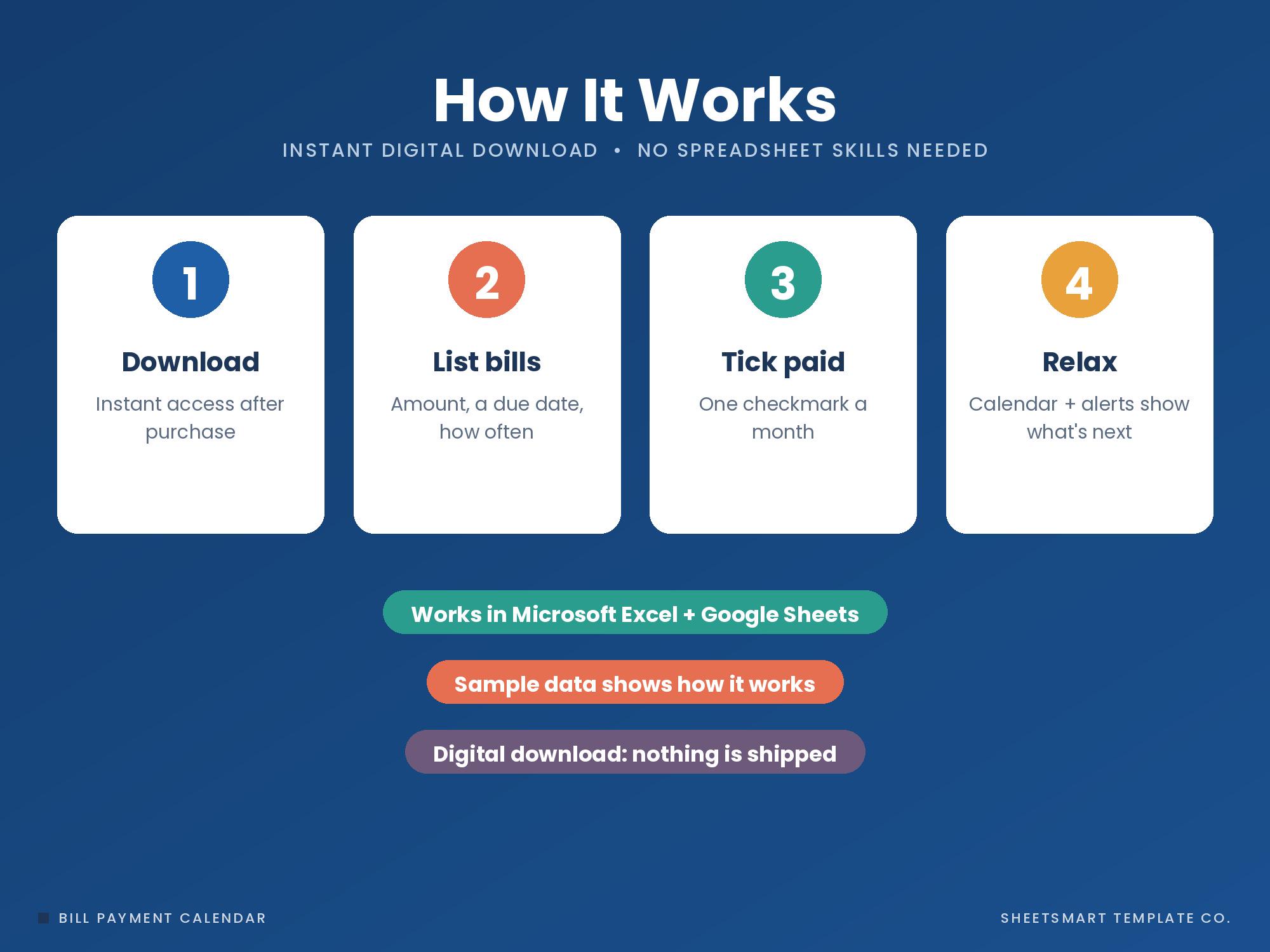
★ HOW IT WORKS ★
1. Download and open the file in Excel, or upload it to Google Drive and open with Google Sheets.
2. List your bills on Bills: amount, due day and how often.
3. Each month, pick ✓ on Paid Tracker as you pay.
4. Use Calendar, U
Free Monthly Budget Starter Kit
5 printable pages: a monthly budget sheet, a 12-month bill checklist and 3 savings-goal trackers. Free when you join the email list.
Get the free kit